Category
Framer
Publish Date
6 Jun 2026
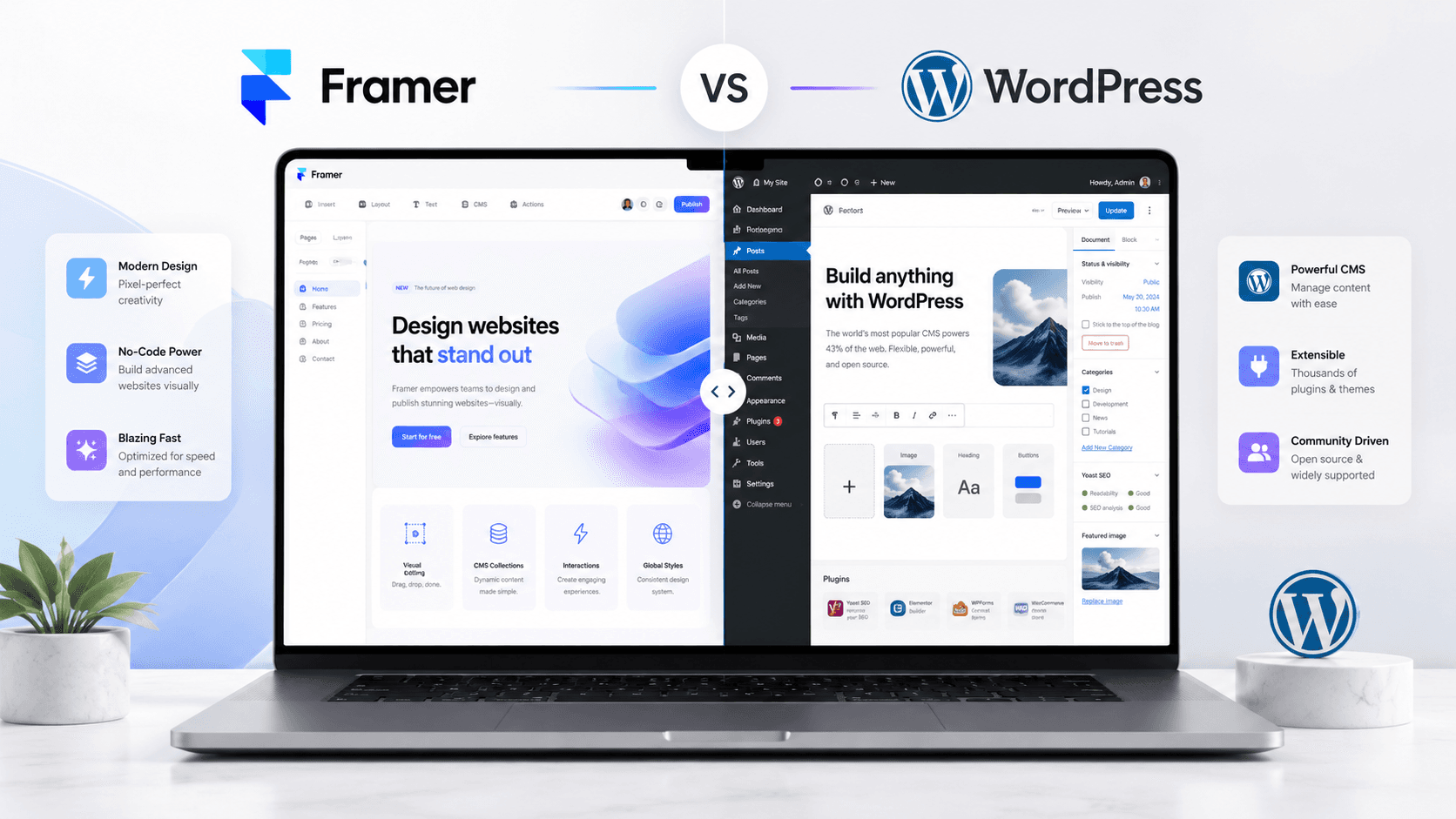
Choosing between Framer and WordPress can feel confusing, especially if you only need a modern presentation website for your business. Both platforms can help you build a website, but they are not built for the exact same type of user, workflow, or project.
In this article, you will learn the main differences between Framer and WordPress, when each platform makes sense, and which one is usually the better choice for a modern presentation website.
Framer vs WordPress: Which One Should You Choose for a Presentation Website?
When you want to build a presentation website, one of the first questions is usually:
Should I choose Framer or WordPress?
Both platforms are popular, powerful, and capable of creating professional websites. But they are very different in the way they work.
WordPress has been around for a long time and powers a large part of the internet. It is flexible, customizable, and supported by a huge ecosystem of themes, plugins, developers, and hosting providers.
Framer, on the other hand, is a more modern design-first website builder. It is especially popular among designers, startups, agencies, SaaS companies, freelancers, and businesses that want a clean, interactive, high-quality website without a heavy development process.
So which one should you choose for a presentation website?
The answer depends on your goals, your budget, your content needs, and how much control you want over the design.
Let’s break it down.
What Is a Presentation Website?
A presentation website is a website created to present a business, service, personal brand, portfolio, or company online.
Its main goal is not usually to manage thousands of products or complex user accounts. Its goal is to explain who you are, what you do, why people should trust you, and how they can contact you.
A presentation website usually includes:
Home page
About page
Services page
Portfolio or case studies
Testimonials
Contact section
Blog or resources section
Call-to-action buttons
For this type of website, the most important things are clarity, trust, visual quality, speed, and conversion.
The platform you choose should help you communicate your message clearly and make your business look professional.
What Is Framer?
Framer is a modern website builder focused on design, speed, and visual freedom.
It allows designers and creators to build responsive websites with a visual editor, animations, CMS collections, SEO settings, forms, hosting, and publishing tools.
Framer feels closer to a design tool than a traditional website platform. If you are familiar with tools like Figma, the Framer workflow can feel natural because you build visually and control the layout directly.
Framer is often a strong choice for:
Presentation websites
Portfolio websites
Landing pages
Startup websites
Agency websites
SaaS websites
Personal brand websites
Modern service-based business websites
The biggest advantage of Framer is that it helps you create a polished, custom-looking website faster, without needing a complex development setup.
What Is WordPress?
WordPress is an open-source content management system that can be used to build almost any type of website.
It is extremely flexible and has a huge ecosystem of themes, plugins, hosting options, and developers. You can use WordPress for blogs, presentation websites, online stores, membership platforms, directories, news websites, and many other types of projects.
WordPress is often a strong choice for:
Large blogs
Content-heavy websites
Websites with complex functionality
E-commerce websites with WooCommerce
Membership websites
Websites that need many plugins
Projects that require custom backend features
The biggest advantage of WordPress is flexibility. You can build almost anything with it, but that flexibility often comes with more setup, maintenance, and technical responsibility.
Framer vs WordPress: The Main Difference
The biggest difference is simple:
Framer is design-first.
WordPress is content-management-first.
Framer is usually better when the main goal is to create a modern, beautiful, fast, and conversion-focused presentation website.
WordPress is usually better when the website needs complex content management, advanced plugins, custom backend functionality, or long-term scalability for many content types.
For a simple business presentation website, Framer often feels cleaner and faster.
For a complex website with many integrations and advanced features, WordPress may be the better choice.
1. Design Freedom
Framer gives you a lot of visual control.
You can create custom layouts, animations, interactive sections, responsive designs, and polished UI details without relying heavily on themes or plugins.
This makes Framer especially useful for designers who want the final website to look very close to the original design concept.
WordPress can also create beautiful websites, but the process often depends on the theme, builder, or custom development setup. Tools like Elementor, Gutenberg, Bricks, or custom themes can give you design control, but the workflow may feel heavier.
Winner for modern visual design: Framer
If the goal is a premium presentation website with strong visual identity, Framer is usually easier and faster to work with.
2. Ease of Use
Framer is easier to understand for people who are already familiar with visual design tools.
The interface is clean, modern, and focused on building visually. You can edit sections, add animations, create CMS pages, and publish the website from one place.
WordPress can be beginner-friendly, but it depends on the setup. A simple WordPress site can be easy to manage, but once you add themes, plugins, page builders, hosting, security tools, caching plugins, and updates, it can become more complicated.
Winner for simple presentation websites: Framer
For a clean business website, Framer usually has a smoother and more direct workflow.
3. Speed of Building
Framer is great when you want to launch a modern website quickly.
Because hosting, design, CMS, forms, and publishing are integrated, the process feels more streamlined. You do not need to connect many separate tools before launching.
WordPress can also be fast if you use a ready-made theme or template. But if you want a custom design, plugin setup, performance optimization, security configuration, and responsive adjustments, the project can take longer.
Winner for fast launch: Framer
For landing pages and presentation websites, Framer is often faster from concept to launch.
4. Customization
WordPress is extremely customizable.
Because it is open-source and has a massive plugin ecosystem, you can extend it in many directions. You can add booking systems, advanced forms, e-commerce, memberships, learning platforms, multilingual systems, SEO plugins, analytics tools, custom post types, and more.
Framer is customizable from a design perspective, but it is not always the best option for very complex backend functionality.
Winner for advanced functionality: WordPress
If your website needs complex features beyond a presentation website, WordPress may be a better long-term choice.
5. Performance
A Framer website can be very performant when designed correctly.
Since Framer includes hosting and optimized publishing, you avoid many common performance problems that appear when a WordPress site uses too many plugins or a poor hosting setup.
WordPress performance depends heavily on the hosting provider, theme quality, plugins, image optimization, caching, and technical maintenance.
A well-built WordPress site can be fast. A poorly built WordPress site can be slow.
Winner for simple performance setup: Framer
For presentation websites, Framer usually makes it easier to keep the website lightweight and fast.
6. SEO
Both Framer and WordPress can be good for SEO.
Framer includes important SEO features such as page titles, meta descriptions, clean URLs, sitemap support, CMS SEO fields, and performance-friendly publishing.
WordPress is also very strong for SEO, especially because of its plugin ecosystem. Tools like SEO plugins can give you advanced control over metadata, schema, redirects, breadcrumbs, and content optimization.
Winner for advanced SEO control: WordPress
Winner for simple SEO setup: Framer
If you need a clean presentation website with basic SEO best practices, Framer is usually enough.
If you need a large content website with advanced SEO systems, WordPress has more tools.
7. Blogging and Content Management
WordPress started as a blogging platform, so content management is one of its strongest areas.
If your website will have hundreds of blog posts, many authors, advanced categories, tags, editorial workflows, and complex content structures, WordPress is a strong option.
Framer also has a CMS and can be used for blogs, portfolios, case studies, job boards, resources, and dynamic pages. For many presentation websites, Framer’s CMS is more than enough.
Winner for large-scale blogging: WordPress
Winner for simple blogs and portfolio content: Framer
For a personal brand, agency website, or service website with a blog, Framer can work very well.
8. Maintenance
This is one of the most important differences.
Framer requires less technical maintenance because hosting, publishing, CMS, forms, and updates are part of the platform.
WordPress usually requires more ongoing maintenance. You may need to update plugins, update themes, manage backups, secure the website, handle hosting issues, optimize performance, and make sure plugins do not conflict with each other.
For business owners who do not want to worry about technical details, this matters a lot.
Winner for low maintenance: Framer
For a presentation website, Framer is usually easier to maintain over time.
9. Security
Framer handles a lot of security at the platform level.
Because you are not managing your own server, plugin stack, or WordPress installation, there are fewer things to maintain manually.
WordPress can be secure, but it requires more responsibility. Security depends on hosting, plugin quality, updates, passwords, backups, and configuration.
A WordPress website with outdated plugins can become vulnerable.
Winner for simpler security management: Framer
For business owners who want fewer technical worries, Framer is usually the simpler option.
10. Cost
The cost depends on the project.
Framer usually has a clear subscription model. You pay for the platform, hosting, and features depending on the plan you choose.
WordPress itself is free and open-source, but you usually pay for hosting, domain, premium themes, premium plugins, security tools, backups, performance tools, and sometimes developer support.
This means WordPress can be cheap at first, but the final cost depends on the setup.
Winner for predictable cost: Framer
Winner for flexible budget options: WordPress
If you want a clean, predictable setup, Framer is often easier to understand.
If you want full control over hosting and tools, WordPress gives you more flexibility.
When Should You Choose Framer?
You should choose Framer if you want a modern presentation website that looks premium, loads fast, and is easy to manage.
Framer is a great choice if:
You need a presentation website
You want a modern and polished design
You care about animations and visual details
You want to launch faster
You do not need complex backend functionality
You want low maintenance
You want a clean designer-friendly workflow
You need a portfolio, agency site, landing page, or service website
Framer is especially good for businesses that want their website to feel modern, simple, and professional.
When Should You Choose WordPress?
You should choose WordPress if your website needs more complex functionality, advanced content management, or a large ecosystem of plugins.
WordPress is a good choice if:
You need a large blog or publication
You need WooCommerce
You need memberships
You need many integrations
You need custom backend functionality
You want full control over hosting
You need advanced SEO plugins
You have a developer or technical team
WordPress is powerful, but it usually requires more setup and maintenance.
Which One Is Better for a Presentation Website?
For most modern presentation websites, Framer is the better choice.
Why?
Because a presentation website needs to be clear, beautiful, fast, responsive, and easy to update. Framer is built around these needs.
It allows you to create a custom design, publish quickly, manage simple content, add smooth animations, and keep the website easy to maintain.
WordPress is still a great platform, but for a simple business website, it can sometimes feel heavier than necessary.
If your goal is to create a modern online presence that presents your business clearly and professionally, Framer is usually the more efficient option.
Final Verdict
Framer and WordPress are both strong platforms, but they serve different needs.
Choose Framer if you want a modern, clean, low-maintenance presentation website with strong visual design.
Choose WordPress if you need advanced functionality, complex content management, or a highly customizable backend.
For a business presentation website in 2026, Framer is often the smarter choice because it keeps the process simple while still allowing a high-quality result.
The best platform is not always the most complex one.
It is the one that helps your website achieve its goal.
And for most presentation websites, that goal is simple:
Build trust, explain your offer, and turn visitors into clients.